ATX RasPi

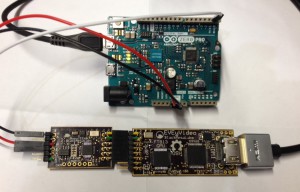
The people behind lowpowerlab has come up with a nice solution to switching your Raspeberry Pi on and off. Using a microcontroller and letting it communicate with the Pi over GPIO, the power supply is kept in sync with the Pi. All is explained in the video below.

Via hackaday.

Posted in Uncategorized | Leave a comment

Machine Code for Beginners

The great Introduction to Machine Code for Beginners by Lisa Watts and Mike Wharton from 1983 is available online.

This book is a simple, step-by-step guide to learning to program in machine code. Machine code is the code in which the computer does all its work and programs written in machine code runs much faster and take up less memory space than programs in BASIC. A machine code program, though, is much more difficult to write and less easy to understand than a program in BASIC.

I remember reading this as a kid, so I presume that it was translated into Swedish. Still, a colourful introduction to how the machine thinks. I’ll show it to my daughter this weekend.

Via BoingBoing.

Posted in Programming | Leave a comment

Arduino from the Command Line

Feeling limited by the Arduino IDE? What to avoid writing linked scripts by hand? Try Ino.

Ino may replace Arduino IDE UI if you prefer to work with command line and an editor of your choice or if you want to integrate Arduino build process to 3-rd party IDE.

Ino is based on make to perform builds. However Makefiles are generated automatically and you’ll never see them if you don’t want to.

Sounds like the best of two worlds to me!

via SparkFun.

Posted in Arduino | Leave a comment

Raspberry Pi Camera Available

The Raspberry Pi Foundation just announced the availability of the long awaited camera board.

The camera boards are now available for order! You can buy one fromRS Components or from Premier Farnell/Element14. We’ve been very grateful for your patience as we’ve tweaked and refined things; it’d have been good to get the camera board out to you last month, but we wanted your experience to be as good as possible, and we’ve been working on the software right up until last night.

For such a small device, this has been an enormous project, and a year-long effort for everybody involved. We’re pretty proud of it: we hope you like it!

For the curious minded, there is a small video demonstrating how to get it started.

Posted in Raspberry Pi | Leave a comment

ESD Safety

Or, you can read up on Wikipedia.

Posted in Uncategorized | Comments Off

LEGO runs Linux

GyroBoyOldest CES news of the year, but I’m just very happy to hear that the next generation of Lego MindStorm will run Linux!

Posted in Platforms | Comments Off

Capacative Touch

Adafruit is a great resource for may electronic projects. One of my favorite parts is their focus on wearable electronics. Gizmos with LEDs and speakers have been around for a while. You can even get them from Thinkgeek. However, capacitive touch with conductive fabric opens possibilities.

I’m not sure if this ever will become mainstream. But imagine having sensors for vitals integrated in your t-shirt. Monitoring pulse, breathing, etc without any clumsy sensors. This, coupled with movement-based power generation, I’m sure we will see more and more in the future.

Posted in Electronics | Comments Off

NES in an FPGA

megaman_fpgaFPGAs are a fascinating piece of technology. Gaming can also fascinate. Merging the two in a retro recreation of a the classical NES means that I have to write about it.

Ludde (from Gothenburg, just as myself) built a NES inside a Xilinx Spartan-6 FPGA as a project over Christmas. The system drives a VGA output and emulates the CPU, PPU and APU, i.e. processing, graphics and audio units. Conveniently enough, the controllers are hooked up via USB, so you do not have to dig out the originals.

Via hackaday.

Posted in FPGA | Comments Off

Flattr Experiment Ended

flattr-logoOver the last year, or there about, we’ve had Flattr links at the bottom of all posts on Digital Fanatics. The total yield of these is EUR0.52, or which one payment came from Thingiverse and the other from my account on Flattr.

The conclusion of this is that this site either targets the wrong audience, or that Flattr does not work. I kind of liked their idea, but for now, the link goes away.

Posted in Meta | Comments Off

ZX81 using AVR

3dmazeJörg Wolfram has re-created the ZX81 system using an ATMega AVR MCU. The system uses a PS2 keyboard, NTCS (or VGA/LCD) for graphics and an SD-card instead of a tape. Looks like a great recreation of the past. The curious can read more about it here (Google translated, original German here)


Posted in Uncategorized | Comments Off